Where Can I Fax Something? Physical Locations + Online Options
Find a fax service near you — or skip the trip entirely and send online in 60 seconds for $1.50/page.
Online: 24/7 · No account · $1.50/page · Physical stores: hours & prices vary
To fax something near you: UPS Store, FedEx Office, Staples, Office Depot, and many public libraries all offer fax services during business hours. Costs run $1.50–$5+ per page depending on local vs. national vs. international. Note: CVS, Walgreens, and the Post Office do not.
Faster option: Send a fax online right now — from your phone or computer, in 60 seconds, for $1.50/page. No account, no trip, no business hours required.
Your Two Main Options for Faxing
When you need to send a fax today, you have two distinct paths — each with real tradeoffs:
- →UPS Store, FedEx Office, Staples, Office Depot, libraries
- →Available during business hours only (most close by 7pm)
- →$1.50–$5+ per page depending on destination
- →Staff assistance available; printed confirmation receipt
- →Requires traveling there and potentially waiting in line
- ✓Available 24/7 from any device with internet
- ✓$1.50/page - no hidden fees
- ✓No account, no subscription, no trip required
- ✓Live status monitoring + email delivery confirmation
- ✓Done in 60 seconds from your phone or computer
For most people in most situations, online faxing is faster, cheaper, and more convenient. The only real advantage of a physical location is having a printed receipt in your hand immediately — or if you need to fax without any internet access at all.
Physical Fax Locations Near You: What Each Store Charges
Here are the major national chains where you can find a fax service near you, along with typical pricing. Note that franchise pricing varies — always confirm costs when you arrive.
Full Cost Comparison: Stores vs. Online Faxing
Here's what a typical 10-page fax actually costs at each option — the numbers make the case clearly:
| Service | 10-pg Local | 10-pg National | 24/7 Access |
|---|---|---|---|
| QuickFax (send fax online) | $15.00 | $15.00 | ✓ Always |
| Physical Locations | |||
| UPS Store | ~$16.50 | ~$20.00 | Store hours only |
| FedEx Office | ~$16.20 | ~$21.90 | Most locations |
| Staples | ~$15–22 | ~$18–22 | Store hours only |
| Office Depot | ~$15–22 | ~$18–22 | Store hours only |
| Public Library | ~$2.50–10 | Often unavailable | Limited hours |
These chains are franchised — the price you see online may not match what you pay in-store. Some locations add service fees on top of per-page rates. There's no way to know the exact final cost until you've already made the trip.
Skip the trip — fax online right now
$1.50/page · No subscription · No account needed.The Hidden Frustrations of In-Store Faxing
Physical fax locations work — but there are friction points most people don't think about until they're standing in the store:
Stores That Don't Offer Fax Service
A few chains people commonly assume offer faxing actually don't — save yourself the trip:
CVS pharmacies do not have fax machines for customer use.
Read more →Walgreens does not offer in-store fax service at any location.
Read more →The USPS does not provide public fax services at post office branches.
Read more →How to Fax Online with QuickFax — 60 Seconds, No Trip
QuickFax was built for the person who needs to send a fax right now without the hassle of finding a location, driving somewhere, or dealing with complicated software.
- 1Go to QuickFax.com
No app to install. Open the page in any browser — works on iPhone, Android, or desktop.

- 2Upload your document and enter the fax number
Accepted formats: PDF, Word (.doc/.docx), JPG, PNG, TIFF, HEIC — up to 20MB. No file conversion needed, just upload what you have.
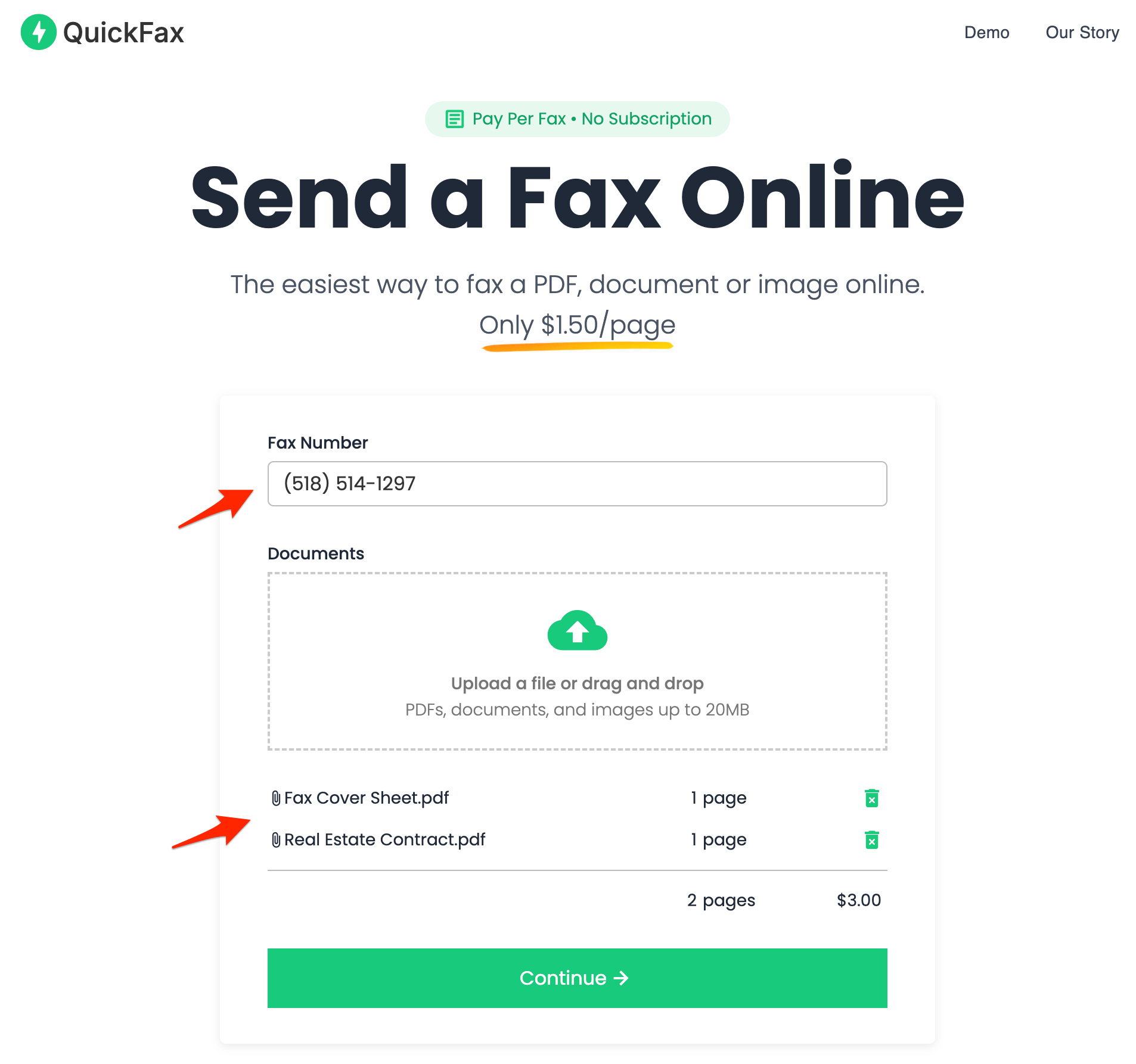
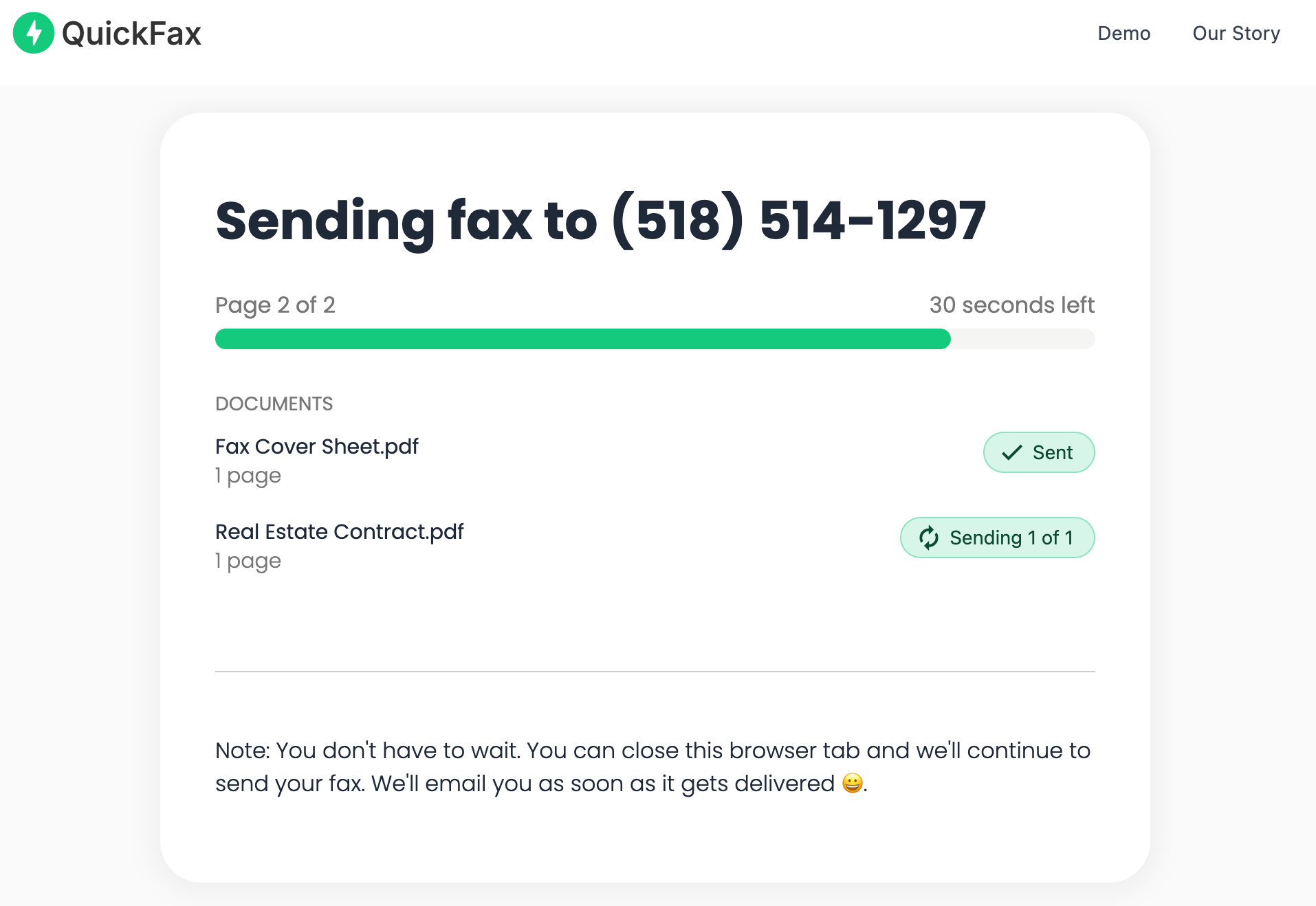
- 3Send — then watch it deliver in real time
A live status page shows exactly when your fax is transmitted and confirmed. You'll also get an email confirmation with proof of delivery — important for legal, tax, or medical documentation.
Physical Location vs. Online Faxing: When to Use Which
- •You specifically need a printed timestamp confirmation in your hands immediately
- •You're already standing next to a UPS or FedEx store with document in hand
- •You have no internet access or device available
- •A legal or official process explicitly requires confirmation from a commercial fax service
- ✓You're faxing outside business hours (nights, weekends, holidays)
- ✓You're at home or on the go and don't want to make a special trip
- ✓You're sending multiple pages
- ✓You need delivery confirmation and live status tracking
- ✓Your document contains sensitive information (legal, financial, etc)
- ✓You need to send a fax right now, in under a minute
Tax documents due today, court filings, medical authorizations — when you're on a deadline, you can't risk the store being closed, the machine being broken, or the fax failing and having to make another trip. Online faxing gives you immediate confirmation that your time-sensitive document arrived.
Kind Words from QuickFax Customers
“Fast, secure, the price is right! This site is a blessing for those who rarely have to send a fax.”
Stephen from California
“By far the easiest and most convenient internet fax service I have ever used. Highly recommend.”
John from New Mexico
“I loved that it doesn't require a subscription or a free trial. I just got in and faxed what I needed to.”
Tom from Mississippi
“This was my first time sending a fax this way, and it was very easy. I will definitely use this again. Was much easier then going to a store.”
Elizabeth from Arizona
Trusted by thousands to fax IRS, SSA, legal, medical, government documents, and more.
Send a Fax Online →No subscription. $1.50/page.
Ready to Send Your Fax?
Just enter the fax number, upload your documents, and send.
Send a Fax Online →