Can You Fax at the UPS Store? (2026 Answer + Best Alternative)
Yes — The UPS Store is one of the more reliable walk-in fax options out there. But pricing isn't published nationally, policies vary by franchise, and a 10-page fax can cost more than you'd expect. Here's what to know before you go.
No account to setup. No subscription to pay.
Yes — The UPS Store Offers Fax Services
At any UPS Store location, staff will assist you in sending or receiving a fax right there in the store.
The UPS Store is a franchise network — each location is independently owned and operated. Their corporate page explicitly states that “products, services, prices, and hours of operation may vary by location.” Pricing is not published nationally. Call your local store before making the trip for a large or time-sensitive fax, especially if you need to receive one.
The UPS Store is one of the better-established walk-in fax options in the US, legitimately set up for both sending and receiving. The caveats are real, though — and the cost can add up faster than expected for multi-page documents.
How Faxing at The UPS Store Actually Works
One thing that sets The UPS Store apart from Staples or FedEx Office: it's staff-assisted, not self-service. You hand your documents to a store associate, who handles the transmission and gives you a printed confirmation receipt. You don't operate the machine yourself.
Use the store locator at theupsstore.com. Confirm fax availability, ask about pricing per page (local vs. long-distance), and — if you're receiving a fax — ask about their inbound fax and pickup policy.
Prepare paper originals in the correct order. Have the recipient's full fax number, including area code and any country code for international. Staff will handle the rest.
The associate feeds your documents, dials the number, and monitors the transmission. You wait — typically around 30 seconds per page for the fax to go through.
You're charged per page after the fax completes. You receive a printed transmission report as proof of delivery. Keep it — it's your only record.
The UPS Store advertises receiving faxes as part of its service — each location has an inbound fax number you can give to the sender. This is genuinely useful if you don't have a way to receive a fax at home or your office. However, policies around inbound faxes — how long they hold documents, after-hours handling, what ID you need for pickup — are not standardized across the franchise network. Always call your local store before having an important fax sent there.
The UPS Store Fax Pricing: What to Expect
The UPS Store does not publish a national fax price list. Per-page rates are set at the franchise level and vary by location, destination (local vs. long-distance vs. international), and sometimes by page count. Here's the reality — and why it's worth doing the math before you drive over.
Unlike Office Depot, which publishes a starting price on its website, The UPS Store doesn't list fax rates online. You find out at the counter — or by calling ahead.
Community reports have noted bills of $15–$20+ for longer fax jobs at UPS Store locations. At $2–$3 per page for long-distance faxes, a 10-page document can easily run $20–$30.
Round-trip travel to the store adds real cost and time. A 20-minute trip and $3 in gas turns a $5 fax into closer to $15 in total cost when your time is included.
Most UPS Store locations are open Monday–Friday 8 AM–7 PM and Saturday mornings. Evening, Sunday, and holiday fax needs aren't covered by a physical visit.
How UPS Store Compares to Other Options
| Option | Faxing? | Est. Price Per Page | Self-Service or Staff? |
|---|---|---|---|
| QuickFax (online) Best Value | ✓ Send | $1.50 | Online — no staff, no store |
| Office Depot / OfficeMax | ✓ Send | Starting ~$0.99 | Self-service |
| Staples | ✓ Send | ~$1.79 local | Self-service |
| FedEx Office | ✓ Send & receive | $1.89–$2.49 | Self-service (staff available) |
| The UPS Store | ✓ Send & receive | Varies — not published | Staff-assisted |
| USPS Post Office | No | — | — |
| Walgreens / CVS | No | — | Pharmacy fax only — not public |
UPS Store or Online — Which One Fits Your Situation?
Both options deliver a confirmed fax with no account or subscription required. The question is how much friction you're willing to accept, and whether you actually need something only the store can offer.
🏪Go to the UPS Store if…
- →You need to receive an inbound fax (they have a dedicated fax number)
- →You want staff to handle everything and confirm it was sent
- →You're already going for shipping, notary, or passport photos
- →Your documents are paper-only and can't be digitized
- →You prefer paying cash in person and keeping it simple
✅Use QuickFax if…
- →You need to fax right now, from wherever you are
- →It's after hours, a weekend, or you don't want to make the trip
- →You have a PDF, photo, or digital document ready to send
- →You want a flat $1.50/page rate, not a per-store unknown
- →You want email delivery confirmation with a real audit trail
What the In-Store Experience Really Costs You
Faxing at The UPS Store
- ✗Drive to a store, find parking, wait for available staff
- ✗Per-page price unknown until you're at the counter
- ✗$2–$3+ per page = $20–$30 for a 10-page document
- ✗Store hours only — closed evenings, Sundays, holidays
- ✗Paper confirmation only — no email, no live tracking
- ✗Inbound fax hold policies vary and aren't standardized
✅Sending with QuickFax
- ✓Send from your phone, tablet, or computer — right now
- ✓$1.50 per page — see the exact total before you send
- ✓10-page fax = $15.00, no surprises
- ✓Available 24/7, including nights, weekends, holidays
- ✓Live status tracking + email delivery confirmation
- ✓256-bit AES encryption, files deleted after delivery
Need to send a fax right now?
No account. No subscription. $1.50/page. Live delivery confirmation.How to Send a Fax Online (in 3 Steps)
With QuickFax you can fax without a fax machine. You don't need to download an app. You don't need to create an account. Here's how QuickFax works.
- 1Go to QuickFax.com on your phone or computer
No app to install. Open the page in any browser — works on iPhone, Android, or desktop.

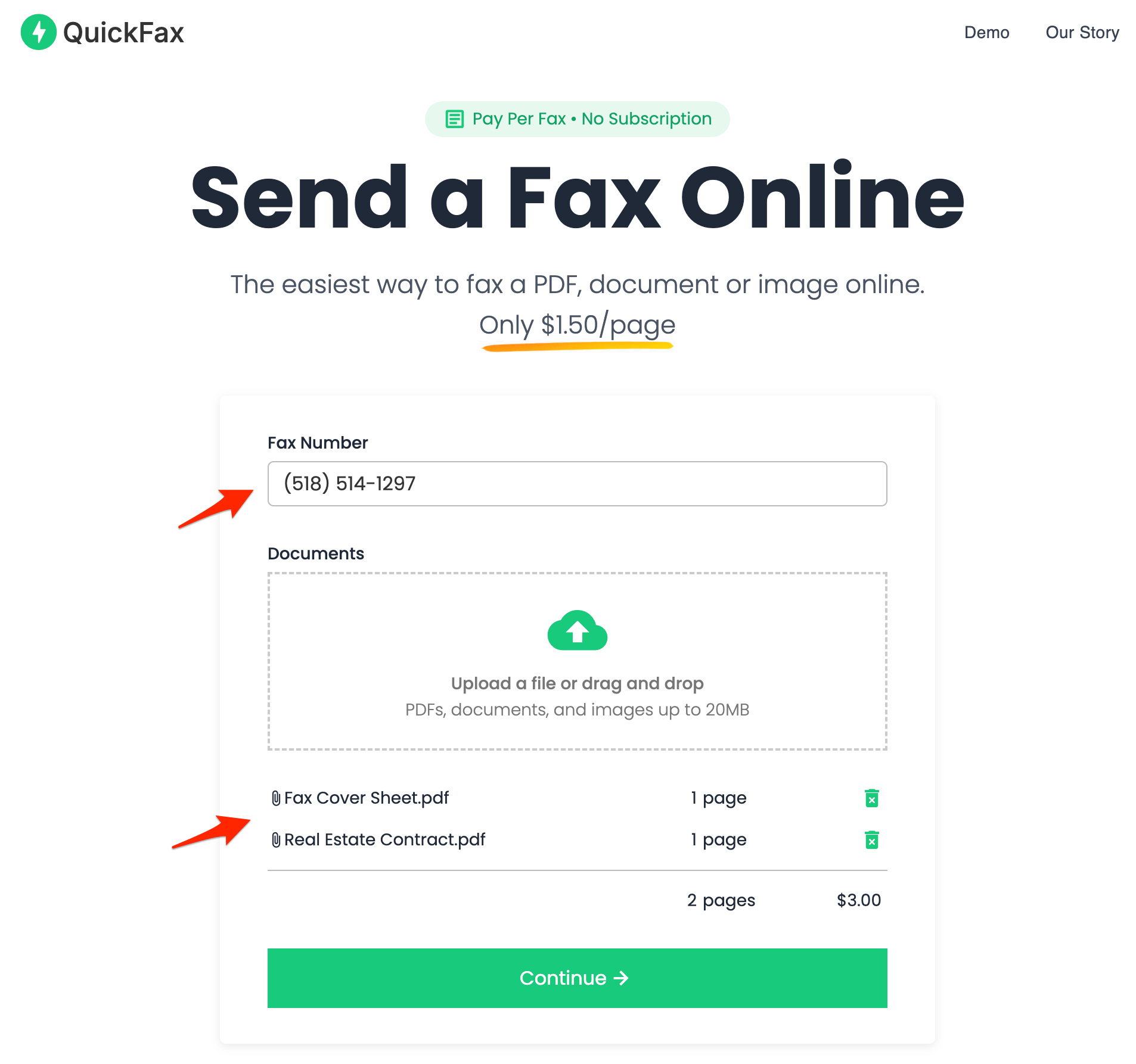
- 2Enter the fax number and upload your documents
You can fax PDFs, Word files (DOC, DOCX), JPG, PNG, and HEIC — including photos taken directly with your phone camera. No conversion needed.
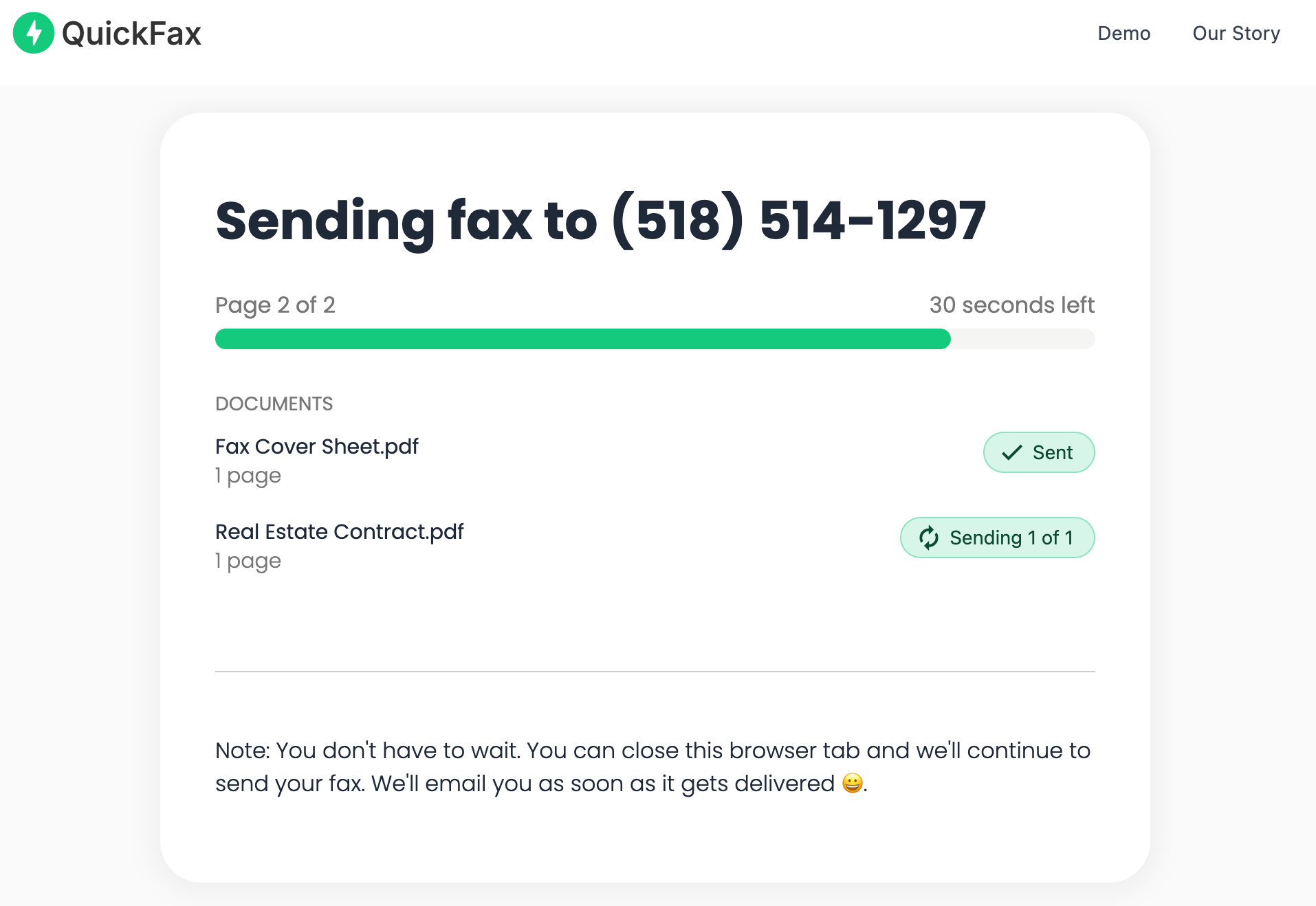
- 3Send your fax and watch it get delivered
Track delivery in real time. Once the fax is received, you get an email confirmation. Your files are then automatically deleted from QuickFax's servers.
Need to send a fax right now?
No account to setup. No subscription to pay. $1.50/page.The UPS Store vs. QuickFax: Full Comparison
| Feature | The UPS Store (in-store) | QuickFax (online) |
|---|---|---|
| Send faxes | ✓ Yes — staff-assisted | ✓ Yes — online, any device |
| Receive faxes | ✓ Yes — inbound fax number per store | No |
| Price per page | Not published nationally; community reports $2–$3+ per page | $1.50 — local and national ✓ |
| Price transparency | Unknown until you're at the counter | Exact total shown before payment ✓ |
| Account required | No | No |
| Availability | Store hours only (typically Mon–Sat) | 24/7, any device ✓ |
| Service type | Staff-assisted — you hand documents to an associate | Self-directed — upload, enter number, send |
| Delivery confirmation | Printed transmission report at the store | Email confirmation + live tracking ✓ |
| Document privacy | Staff handle your documents; no encryption | 256-bit AES encryption; files deleted after delivery ✓ |
| Best for | Receiving inbound faxes; paper-only documents; combining with other UPS services | Sending digital documents; after-hours; lowest total cost; confirmed delivery |
Why Online Faxing Is More Secure Than a Store Fax Machine
Public fax machines in stores aren't exactly known for privacy. Your documents pass through shared equipment, other customers may be nearby, and there's no reliable way to know your data was handled securely.
QuickFax encrypts your files immediately upon upload using 256-bit AES encryption, with TLS 1.2 enforced throughout. Your documents are automatically deleted after successful delivery — or after a failed send attempt. So your fax stays private.
Kind Words from QuickFax Customers
“Fast, secure, the price is right! This site is a blessing for those who rarely have to send a fax.”
Stephen from California
“By far the easiest and most convenient internet fax service I have ever used. Highly recommend.”
John from New Mexico
“I loved that it doesn't require a subscription or a free trial. I just got in and faxed what I needed to.”
Tom from Mississippi
“This was my first time sending a fax this way, and it was very easy. I will definitely use this again. Was much easier then going to a store.”
Elizabeth from Arizona
Trusted by thousands to fax IRS, SSA, legal, medical, government documents, and more.
Send a Fax Online →No subscription. $1.50/page.
UPS Store Fax Services — Common Questions
Can you fax at the UPS Store?
Yes. You can send or receive a fax at most UPS Store locations. Staff handle the transmission and provide a printed confirmation. Services and pricing vary by franchise location, so calling your local store to confirm availability and pricing is recommended for large or urgent faxes.
How much does it cost to fax at the UPS Store?
The UPS Store doesn't publish a national price list — rates are set by each franchise. Community reports suggest per-page costs often run $2–$3 or more, depending on the store and destination. For a 10-page fax, that's potentially $20–$30. QuickFax charges a flat $1.50 per page to send a one time fax, and you see the exact total before you pay.
Can you receive a fax at the UPS Store?
Yes — The UPS Store advertises both sending and receiving faxes. Each location has an inbound fax number you can give to a sender. However, receiving policies vary by franchise (hold time, after-hours handling, ID required for pickup). Always call your local store before having an important fax sent there to confirm their specific policy.
Does the UPS Store fax for you, or is it self-service?
Staff-assisted — not self-service. You hand your documents to a store associate who handles the entire process. This differs from Staples, FedEx Office, and Office Depot, where you operate the machine yourself at a self-service kiosk.
What if my local UPS Store is closed or unavailable?
In-person alternatives include Staples, FedEx Office, and Office Depot — all of which advertise fax services. USPS post offices do not offer public fax services. For a 24/7 option that doesn't require travel, QuickFax lets you fax from any device for $1.50 per page with no account required and email delivery confirmation included.
Ready to Send Your Fax?
Just enter the fax number, upload your documents, and send.
Send a Fax Online →