Does Staples Offer Fax Services? (2026 Answer + Best Alternative)
Unlike most retail chains, Staples genuinely offers fax services. But exact pricing isn't posted nationally, availability varies by location, and you may not know what you'll pay until you're at the machine. Here's the full picture.
No account to setup. No subscription to pay.
Yes — Staples Does Offer Public Fax Services
Staples lets you copy, print, scan, and fax at self-service machines in its Business Center area. You can send local, long-distance, and international faxes, pay at the machine, and get a printed confirmation. No account required.
This makes Staples genuinely useful — unlike pharmacies like CVS or Walgreens, where fax machines exist only for internal healthcare workflows and aren't available to customers, Staples is actually set up for walk-in faxing.
Staples does not publish a universal fax price list on its national website. Pricing is location-dependent, and you may not know your exact total until you're standing at the machine. Rates vary between stores and can change without notice — so if you're budgeting a multi-page fax, calling ahead is worth the 60 seconds.
What Faxing at Staples Actually Looks Like
Staples markets its in-store fax as part of its self-service Business Center — the same area where you'd print, copy, and scan. It's designed as an “airport kiosk” experience: find the machine, use it, pay, leave. Here's the practical reality of each step.
Fax machines are in the Business Center or Print area, usually near the copy machines. Not all locations are identical — if you can't find it, ask a staff member.
Paper originals go into the document feeder. Staples machines also support documents from a USB/flash drive or cloud storage, so a saved PDF can work too.
Include area code for domestic faxes, country code for international. Double-check — a wrong number means your document goes nowhere, and you may still be charged.
Staples prints a confirmation page after a successful send. Keep it — it's your proof of transmission. There's no email confirmation or live tracking.
Staples focuses on sending faxes. If you need to receive a fax, call your local Staples store before going — don't assume it's available.
Staples Fax Pricing vs. Your Other Options
Staples doesn't publish a single national rate card. The figures below reflect pricing commonly reported by customers and secondary sources — they give you a useful ballpark, but your local store may charge differently. Always check the machine or call ahead for large faxes.
| Option | First Page | Additional Pages | Account Required? |
|---|---|---|---|
| QuickFax (online) Best Value | $1.50 | $1.50 each | No |
| Staples — Local fax | ~$1.79 | ~$1.59 each | No |
| Staples — National fax | ~$2.39 | ~$2.19 each | No |
| Staples — International fax | ~$5.99 | ~$3.99 each | No |
| Office Depot (self-service) | Starting ~$0.99 | Varies | No |
| FedEx Office (self-service) | $1.89–$2.49 | $1.59–$2.19 | No |
| The UPS Store | $2.00–$2.50+ | Varies | No |
For a 5-page domestic fax: Staples costs roughly $7.99 (local) to $10.15 (national) based on reported rates. QuickFax costs $7.50 flat — with no travel, no waiting in line, and an email confirmation sent to you automatically.
What Staples Doesn't Tell You About In-Store Faxing
The self-service pitch sounds frictionless. In practice, there are a few things worth knowing before you make the trip.
Staples' national website doesn't list fax prices. You find out what it costs at the machine — which is stressful if you're on a deadline and the total is higher than expected.
A round trip to Staples easily adds 20–45 minutes. For a $7–$10 fax, you're effectively paying more per hour of your time than the fax itself costs.
Medical records, legal documents, and tax forms get loaded into shared equipment in a public retail space. There's no encryption, and your document passes through hardware other customers use.
Staples gives you a printed confirmation page. But if you need to prove delivery later — or if the fax failed and you don't realize it — there's no digital record and no way to check status after you leave.
Most Staples locations close between 8–9 PM. If your urgent fax situation arises in the evening, on a weekend, or on a holiday, the store may not be open when you need it.
Self-service machines go out of service, get occupied by other customers, or occasionally just don't work. There's no way to confirm your machine will be available before you arrive.
Go to Staples, or Send It with QuickFax?
Both options require no account and no subscription. The question is really: what fits your situation better right now?
🏪Go to Staples if…
- →You're already making a Staples trip for other reasons
- →Your documents are paper-only and you can't digitize them
- →You prefer to handle everything in person and pay cash
✅Use QuickFax if…
- →You need to fax right now, without leaving wherever you are
- →It's after hours, a weekend, or you're in a hurry
- →You have a PDF, photo, or digital document ready to send
Need to send a fax right now?
No account. No subscription. $1.50/page. Live delivery confirmation.How to Send a Fax Online (in 3 Steps)
With QuickFax you can fax without a fax machine. You don't need to download an app. You don't need to create an account. Here's how QuickFax works.
- 1Go to QuickFax.com on your phone or computer
No app to install. Open the page in any browser — works on iPhone, Android, or desktop.

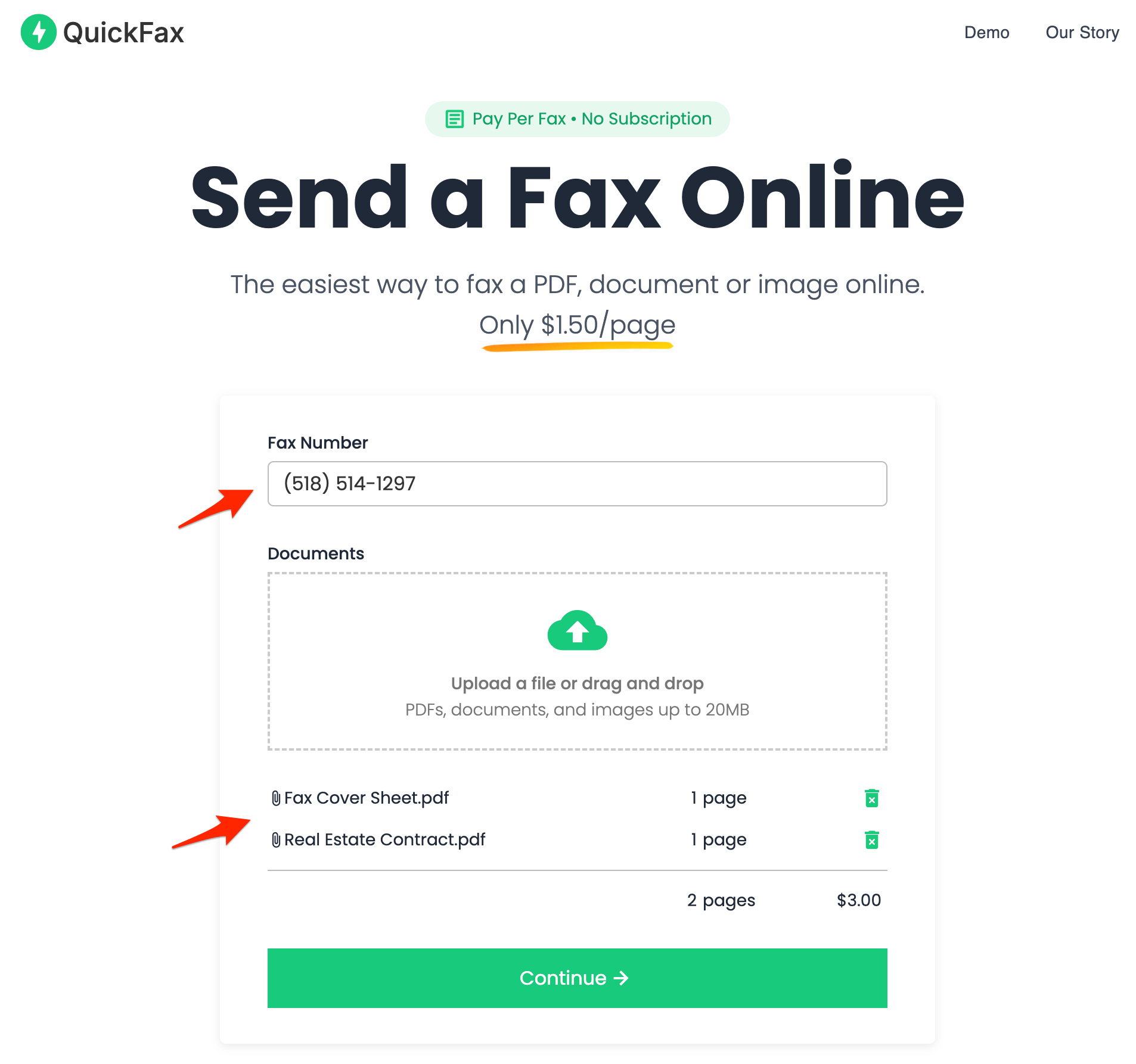
- 2Enter the fax number and upload your documents
You can fax PDFs, Word files (DOC, DOCX), JPG, PNG, and HEIC — including photos taken directly with your phone camera. No conversion needed.
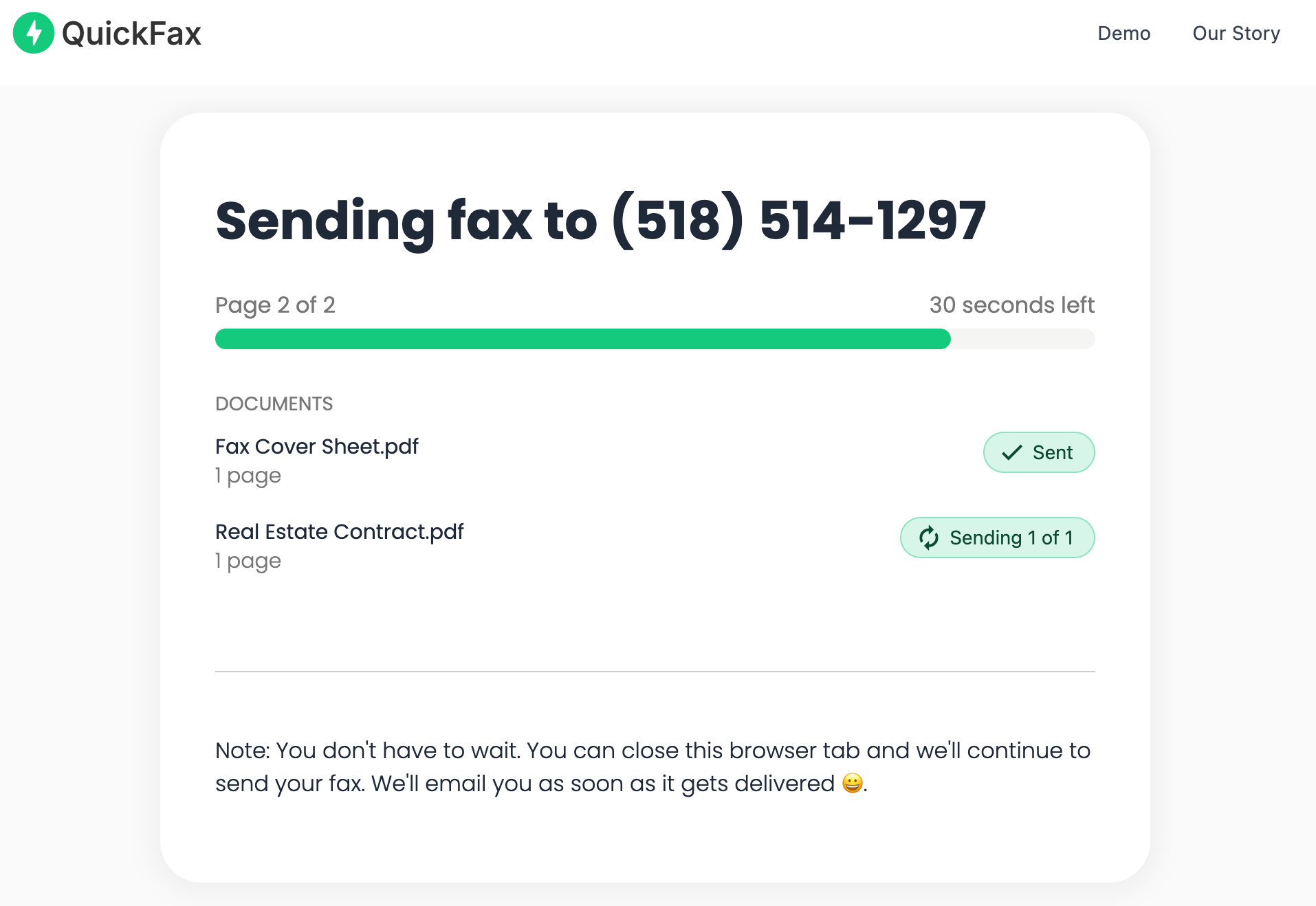
- 3Send your fax and watch it get delivered
Track delivery in real time. Once the fax is received, you get an email confirmation. Your files are then automatically deleted from QuickFax's servers.
Need to send a fax right now?
No account to setup. No subscription to pay. $1.50/page.Staples vs. QuickFax: Full Comparison
| Feature | Staples (in-store) | QuickFax (online) |
|---|---|---|
| Price (local/domestic) | ~$1.79 first page, ~$1.59 additional (varies by store) | $1.50/page — all destinations ✓ |
| Price (national) | ~$2.39 first page, ~$2.19 additional | $1.50/page ✓ |
| Price (international) | ~$5.99 first page, ~$3.99 additional | US and Canada only |
| Account required | No | No |
| Availability | Store hours only (typically 8 AM–9 PM) | 24/7, any device ✓ |
| Delivery confirmation | Printed confirmation page at machine | Email confirmation + live status tracking ✓ |
| Mobile-friendly | Requires visiting a store | Fully mobile — fax from your phone ✓ |
| Document privacy | Public self-service machine; no encryption | 256-bit AES encryption; files deleted after delivery ✓ |
| Retry if fax fails | Manual retry required; may be charged again | Automatic retries; only charged on success ✓ |
| Best for | Paper originals; in-person cash payment; bundled with other Staples services | Any digital document; urgent or after-hours; confirmed delivery required |
Common Documents People Fax at Staples
The documents people are searching for fax services for tend to be time-sensitive and often involve healthcare, government agencies, or legal matters — the exact paperwork where confirmation of delivery actually matters.
Insurance prior authorizations, medical records transfers, HIPAA release forms, prescription authorizations, and insurance claim submissions that need immediate handling.
IRS forms (SS-4, 2848, 8821), Social Security Administration paperwork, disability applications, and DMV documents that can’t wait for postal mail.
Court filings, attorney communications, signed agreements, and legal paperwork that requires immediate delivery with a documented confirmation.
Employment verification, HR documents for a new job, real estate closing paperwork, school enrollment forms, and mortgage applications.
If you're faxing any of these, you almost certainly want delivery confirmation — something a store fax machine can't reliably provide. QuickFax sends you an email confirmation the moment your fax is received.
Why Online Faxing Is More Secure Than a Store Fax Machine
Public fax machines in stores aren't exactly known for privacy. Your documents pass through shared equipment, other customers may be nearby, and there's no reliable way to know your data was handled securely.
QuickFax encrypts your files immediately upon upload using 256-bit AES encryption, with TLS 1.2 enforced throughout. Your documents are automatically deleted after successful delivery — or after a failed send attempt. So your fax stays private.
Kind Words from QuickFax Customers
“Fast, secure, the price is right! This site is a blessing for those who rarely have to send a fax.”
Stephen from California
“By far the easiest and most convenient internet fax service I have ever used. Highly recommend.”
John from New Mexico
“I loved that it doesn't require a subscription or a free trial. I just got in and faxed what I needed to.”
Tom from Mississippi
“This was my first time sending a fax this way, and it was very easy. I will definitely use this again. Was much easier then going to a store.”
Elizabeth from Arizona
Trusted by thousands to fax IRS, SSA, legal, medical, government documents, and more.
Send a Fax Online →No subscription. $1.50/page.
Staples Fax Services — Common Questions
Does Staples offer fax services?
Yes. Staples offers fax services through self-service machines in its Business Center / Print area at most locations. You can send local, long-distance, and international faxes, pay at the machine, and get a printed confirmation. No account is required.
How much does it cost to fax at Staples?
Staples does not publish a national price list. Commonly reported rates are around $1.79 for the first local page ($1.59 additional), $2.39–$2.19 per page for national faxes, and $5.99/$3.99 for international. Prices vary by location — it's worth calling ahead or checking the machine before a large fax job.
Can you receive a fax at Staples?
Staples focuses on sending faxes, not receiving them for customer pickup. This service may be available at specific locations but isn't advertised. If you need to receive a fax at Staples, call your local store to confirm before making the trip.
Do I need a Staples account to use fax services?
No. Staples fax machines are self-service — pay at the machine, no account or membership required. Similarly, QuickFax requires no account or subscription.
Is faxing at Staples cheaper than online?
Not for most faxes. QuickFax charges a flat $1.50 per page for all fax types — local or national. Staples local rates start around $1.79 per page, and national rates are higher still. Add travel time and you're paying more at the store for most common use cases.
What documents can I fax at Staples?
Staples machines support paper originals loaded into the document feeder, plus documents stored on a USB drive or cloud storage. Common documents include medical forms, IRS and government paperwork, legal filings, real estate contracts, and employment verification forms.
Ready to Send Your Fax?
Just enter the fax number, upload your documents, and send.
Send a Fax Online →