You don't need a fax machine anymore. This guide covers every way to send a fax today — from your phone, your computer, or a store — with honest advice on which method makes sense for your situation.
No account to setup. No subscription to pay.
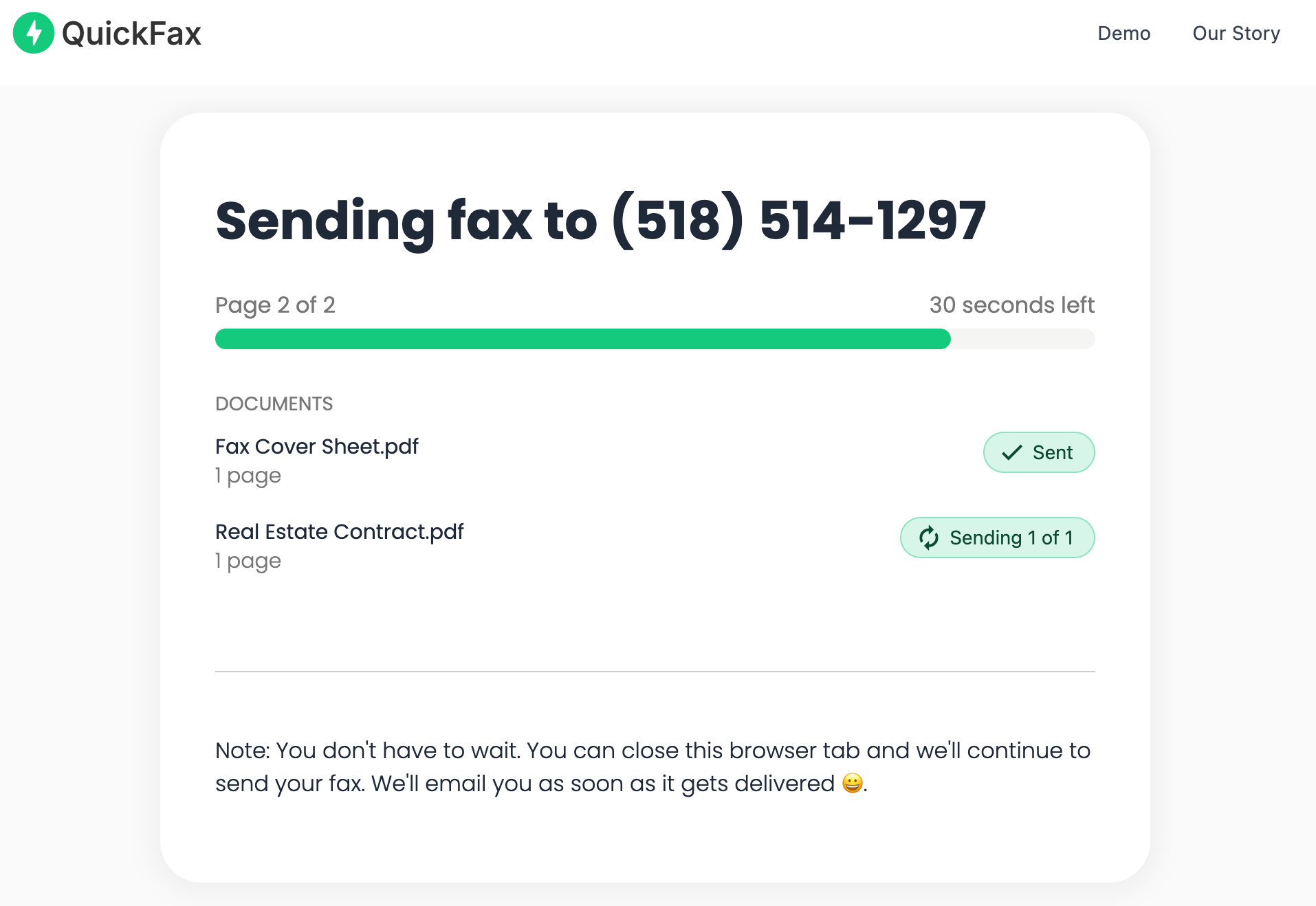
The fastest method in 2026: use an online fax service like QuickFax. Upload your document (PDF, Word, or a phone photo), enter the fax number, pay $1.50/page, and send. You'll get live status tracking and email confirmation — no account, no subscription, no fax machine.
The whole process takes under 60 seconds and works on any phone or computer.
The fastest way to send a fax online in 2026 is through a service that skips account creation entirely. You can upload a document and have it transmitted in under 60 seconds — no signup, no software, no waiting.
QuickFax is built specifically for this. There's no name, email, or password to enter. You upload your file, enter the recipient's fax number, and pay $1.50 per page. That's the whole process.
This approach is ideal when you're facing a deadline to fax documents to the IRS, a court, an insurance company, a hospital, or a school. You don't have time to set up accounts or learn new software — you need it sent and confirmed now.
Need to send a fax right now?
No account. No subscription. $1.50/page. Live delivery confirmation.If you need to send a fax from your phone, you don't need a dedicated app. QuickFax's mobile-optimized browser interface works directly in Safari, Chrome, or any mobile browser — no download, no storage space used, no app store friction.
This is especially useful when you have a paper document that needs to be faxed: take a photo with your phone's camera, upload it to QuickFax, and send. The whole process from “I need to fax this” to “confirmed delivered” is typically under three minutes.
To send a fax from iPhone or iPad: open Safari, go to QuickFax.com, and tap “Upload Document.” You can pull a PDF or image from Files, Photos, iCloud Drive, or take a fresh photo. The interface scales perfectly to any screen size.
For paper documents, the built-in document scanner in the iPhone Notes app produces cleaner scans than a regular photo — it automatically crops, straightens, and enhances contrast. Save as PDF, then upload to QuickFax.
To send a fax from Android: open Chrome, navigate to QuickFax.com, and upload from your device's file storage or camera. The Google Drive app's built-in scanner also produces clean, fax-ready document scans — tap the “+” button, choose “Scan,” and save as PDF.
Photo files transmit more slowly than PDFs (2–3 minutes per page vs. 30–60 seconds). If you're in a hurry, use a document scanning app that saves as PDF rather than uploading a raw JPEG.

To send a fax from your computer — Mac, Windows, Linux, or Chromebook — open any browser, go to QuickFax.com, and upload your file. It's the same process as the phone version, just with a larger screen and easier file navigation.
If you have a PDF or Word document saved on your computer, you can fax a PDF online directly without any additional steps — just drag and drop or click to upload. No conversion necessary.
You'll need to digitize it first. Options in order of convenience:
Some services let you attach a document to an email and send it to a special fax address. This typically requires a subscription account to set up. QuickFax's web interface is faster for one-time sends — you're already done by the time you'd finish composing the email.
QuickFax works identically on all platforms through the browser. There's no operating system-specific behavior — whatever device you're on, the process is the same.
If you prefer in-person service — or have a paper document you don't want to scan yourself — you can send faxes at retail locations like The UPS Store, Office Depot, Staples, and FedEx Office.
| Location | Model | ~Cost (domestic) | Receive faxes? |
|---|---|---|---|
| The UPS Store | Staff-assisted | $2.00–$3.00+/page | Most locations |
| Office Depot | Self-service kiosk | $2.29/page | Unconfirmed |
| Staples | Self-service | ~$2.39/page | Varies |
| FedEx Office | Self-service copier | ~$2.49/page | Some locations |
| Public Library | Staff-assisted | Free–$1.75/page | Rare |
| ⚡ QuickFax (online) | Browser / phone | $1.50/page flat | Not available |
Physical locations make sense if you're already running errands nearby, have a large stack of paper documents, or aren't comfortable digitizing things yourself. But for most time-sensitive needs — faxing medical records, filing government forms, submitting legal documents — the round trip to a store adds 20–40 minutes you probably don't need to spend.
Retail fax machines break down, run out of paper, and aren't always available. Confirm a location has working fax capability before making the trip — especially on evenings and weekends.
Subscription services like Dropbox Fax, RingCentral, or Fax.Plus charge $10–$40/month in exchange for a dedicated fax number, unlimited or high-volume sending, and cloud storage integrations. They make sense in specific situations — but not for most people.
Many people have signed up to send one urgent fax, forgotten to cancel, and discovered months later they'd been paying $20/month for a service they used once. That's up to $240/year for a service you didn't need. If you only fax occasionally, a one time fax service like QuickFax means you pay only for what you actually send.
Need to send a fax right now?
No account. No subscription. $1.50/page. Live delivery confirmation.Before you can send a fax online, you need your document in digital format. Here's how to handle the most common situations.
If you have a PDF, Word document, or image file, you can fax a document online immediately — no preparation needed. QuickFax accepts PDF, .doc, .docx, JPG, PNG, TIFF, and HEIC up to 20MB.
Take a photo directly above the document with good lighting. Use the Notes app (iPhone) or Google Drive (Android) for cleaner auto-cropped scans.
Save as PDF for best results. Most modern all-in-one printers include a “Scan to PDF” option that saves directly to your computer.
PDFs transmit 3–4× faster than images and are less likely to have quality issues. Always prefer PDF over JPEG when possible.
Hold the phone directly above the document (not at an angle). Make sure all text is sharp and readable before uploading.
If you've ever been told “we only accept faxes” by a government agency, hospital, or law firm and wondered why, here's the real explanation.
Fax transmissions have stronger legal standing than email and better compliance with privacy regulations like HIPAA (healthcare), GLBA (financial), and government record-keeping requirements. It's not stubbornness — it's the regulatory framework these organizations operate under.
A traditional fax creates a direct point-to-point connection that's harder to intercept than email, which passes through multiple servers and can be forwarded, copied, or stored indefinitely. A confirmed fax with a delivery receipt is also considered stronger proof of delivery in court than an email, which can be disputed.
Online fax services like QuickFax maintain these same security advantages — using 256-bit AES encryption and TLS 1.2 — while eliminating the need for a physical machine. This is why institutions accept online faxes: they meet the same legal and compliance standards.
Common situations where faxing is still required:
Submit forms and respond to notices with documented proof of delivery.
Transfer between providers, pharmacies, and insurers.
Stronger legal standing for time-stamped submissions and signed agreements.
Required by many carriers for prior authorizations and claim submissions.
Closing paperwork, disclosures, and lender requirements.
Schools and registrars often require fax for official documents.
The most common mistake. Include the area code, and remove any extra formatting characters. Double-check before you send — a misdialed fax is gone.
Government and medical fax lines get busy. QuickFax auto-retries on busy signals. If you're at a physical store, wait a few minutes and try again.
Blurry or dark photos can transmit as unreadable. Retake with good lighting, phone held flat above the document. When possible, use PDFs instead of photos.
Send at least a few hours before the cutoff. Transmission can take a few minutes per page, and you may need to retry if the line is busy.
Fax transmission happens in real-time. Use WiFi or a strong cellular connection when sending — avoid spotty public WiFi for large files.
Always save your delivery confirmation email or take a screenshot. This is your proof of timely submission if a deadline dispute ever arises.
Here's an honest breakdown across all four major methods — using a 5-page domestic fax as the benchmark.
For individuals dealing with occasional government, medical, or insurance paperwork — typically 2–5 faxes per year — a pay per fax service costs $10–$20 annually. The same usage pattern would cost $120–$480 on an annual subscription.
The key advantage of faxing without a subscription: you pay once for each fax you send and nothing else. There's nothing to cancel, no automatic renewals, and no dark patterns.
“Fast, secure, the price is right! This site is a blessing for those who rarely have to send a fax.”
Stephen from California
“By far the easiest and most convenient internet fax service I have ever used. Highly recommend.”
John from New Mexico
“I loved that it doesn't require a subscription or a free trial. I just got in and faxed what I needed to.”
Tom from Mississippi
“This was my first time sending a fax this way, and it was very easy. I will definitely use this again. Was much easier then going to a store.”
Elizabeth from Arizona
Trusted by thousands to fax IRS, SSA, legal, medical, government documents, and more.
Send a Fax Online →No subscription. $1.50/page.
No. You can send a fax without a fax machineusing an online service like QuickFax. All you need is an internet connection, your document in digital format (PDF, Word, or a photo), and the recipient's fax number. The whole process runs through your web browser with no special equipment.
Yes. Mobile faxing works through QuickFax's mobile-optimized web interface — no app download needed. Open your phone's browser, go to QuickFax.com, upload a photo or PDF from your device, and enter the recipient's fax number. Works on iPhone, Android, or any mobile browser.
Take a photo using your phone's camera and upload it directly to QuickFax — photos are accepted alongside PDFs. For cleaner results, use the document scanner built into the iPhone Notes app (iOS) or the Google Drive scan feature (Android). Both automatically crop, straighten, and enhance contrast for better legibility.
Many institutions — government agencies, healthcare providers, insurance companies, legal firms — require fax because it has stronger legal standing and better compliance with privacy regulations. Email doesn't meet their security or audit requirements. A confirmed fax transmission with a delivery receipt is also considered stronger proof of timely delivery in legal contexts than an email.
QuickFax shows a live status page while your fax is transmitting and sends you an email confirmation with delivery status once it's received. Save that confirmation email — it's your timestamped proof of submission, which matters for deadlines with the IRS, courts, or insurance companies.
If the receiving fax machine is busy or unavailable, QuickFax notifies you and you can retry. You won't be charged for failed transmission attempts. Government and medical fax lines in particular can be busy during peak hours — try again during off-peak times if retries fail repeatedly.
PDF documents typically transmit in 30–60 seconds per page. Image files (JPGs, photos) can take 2–3 minutes per page due to larger file sizes. For a standard 3–5 page fax, allow 2–5 minutes from upload to confirmed delivery.
No. QuickFax is specifically designed as a fax without accountservice. There's no name, email, or password required — just upload your file, enter the fax number, and pay per page. No marketing emails, no subscription to cancel.
Just enter the fax number, upload your documents, and send.
Send a Fax Online →