No fax machine needed. Send a fax from your Android phone in 60 seconds — no app download, no account, no subscription.
No account to setup. No subscription to pay.
The fastest way to fax from Android is to open QuickFax.com in Chrome (no app download), upload your document, enter the fax number, and pay $1.50/page. Done in 60 seconds. No account, no subscription, works on any Android phone with internet access.
QuickFax is the easiest way to send a fax from your Android phone — it works directly in Chrome (or Firefox, Samsung Internet, any mobile browser) without installing anything or creating an account.
Go to QuickFax.com in your Android browser. The site is fully optimized for mobile — large touch targets, no pinch-to-zoom required.
Tap the upload area to select your file. You can pull from your phone's downloads folder, camera roll, or cloud apps like Google Drive, Dropbox, or OneDrive. QuickFax accepts PDFs, Word docs (.doc, .docx), and images (.jpg, .png, .tiff, .heic) up to 20MB. Then type the fax number including area code — QuickFax auto-formats it correctly.
Your document is encrypted with 256-bit AES immediately on upload and automatically deleted from QuickFax's servers once the fax is delivered. Your sensitive documents don't sit on a server indefinitely.
Send your fax from Android right now.
No app. No account. $1.50/page.Dozens of fax apps are available on the Google Play Store — Fax.Plus, iFax, Simple Fax, and others. They follow a similar pattern: download the app, create an account, grant file permissions, and then pay per page or subscribe monthly.
Main advantage of apps: features like receiving faxes at a dedicated number, stored fax history, and cross-device sync. These genuinely matter if you fax multiple times per week.
Main drawback: 5–10 minutes of setup friction before you can send your first fax, an app taking up 50–100MB of storage, another password to manage, and monthly charges that continue whether you fax or not. Most “free” plans limit you to 5–10 pages and require a credit card upfront for the trial.
Many Android fax apps advertise free trials but automatically convert to paid subscriptions ($9.99–$19.99/month) after the trial ends. Users frequently forget about these and get charged for months they never used the app. Set a calendar reminder to cancel if you're trialing any subscription service.
If you only need to send one fax or fax a few times a year, downloading an app and creating an account adds unnecessary friction. Faxing without an app on QuickFax gets it done in the same time it would take to find and download an app from the Play Store.

One of the biggest advantages of faxing from your Android phone is that your camera becomes a portable scanner — no dedicated hardware needed.
Open Google Drive → tap + → Scan. The camera auto-detects document edges, corrects perspective, and saves as a PDF. Then upload directly to QuickFax from Drive.
Lay the document flat with good lighting and photograph it with your Camera app. QuickFax accepts .jpg files directly, so a clear phone photo faxes perfectly fine.
Other solid scanning options: Microsoft Office Lens and Adobe Scan both produce clean black-and-white document scans optimized for faxing.
Place the document on a dark surface to help the camera detect edges. Shoot from directly above to avoid perspective distortion. For multi-page documents, photograph each page separately — QuickFax lets you upload multiple files and combines them into a single fax automatically.
If your document already lives in cloud storage, you don't need to download it to your phone first. When QuickFax prompts you to select a file, your Google Drive, Dropbox, and OneDrive files appear alongside your local files in Android's file picker — tap the one you want to fax and it uploads directly.
This is especially useful for documents created on your computer (contracts, invoices, forms) that sync automatically to your cloud storage. You can fax a document online from your Android phone even if you're away from your desk, without needing to email the file to yourself first.
“Free” fax services typically restrict you to 3–5 pages per fax, require you to watch ads, place the service's branding on your cover page, or have lower delivery success rates. For anything important — faxing tax documents to the IRS, faxing medical records, or submitting legal documents to a court — you want a service that gives you real delivery confirmation, not a free tool with ads and page caps.
Per-page pricing like QuickFax's is the best way to send a fax for occasional faxers. Subscriptions only make financial sense once you're faxing more than 10–15 times per month and need to receive faxes at a dedicated number.
Faxing sensitive documents — tax forms, medical records, contracts, financial information — from your Android phone is actually more secure than using a physical fax machine in most cases.
If you're sending highly sensitive documents (PHI, financial records, legal contracts), avoid public Wi-Fi or use a VPN. Also delete photos of sensitive documents from your Android gallery after faxing if you don't need a local copy.
Receiving faxes requires a dedicated fax number — you can't receive faxes on your regular mobile number. This is typically offered by subscription-based services that assign you a local or toll-free number; incoming faxes arrive as PDF attachments in your email or through the service's app.
If you only need to send faxes (which is most people's situation), QuickFax is ideal — you're not paying for receiving capabilities you don't use. If you need both sending and receiving, subscription services like eFax or Fax.Plus bundle both in their monthly plans (typically $10–$40/month).
| Service | Pricing | App? | Account? | Best for |
|---|---|---|---|---|
| QuickFax | $1.50/page, pay-as-you-go | No — browser only | No | One-time & occasional faxing |
| Fax.Plus | Free (10 pages) then from $6.99/mo | Yes | Yes | Light regular use + receive faxes |
| iFax | 7-day trial, then from $8.33/mo | Yes | Yes | HIPAA-compliant healthcare faxing |
| Simple Fax | From $3.99/mo (or watch ads for credits) | Yes | Yes | Android-only occasional users |
| HP Smart | Free (requires HP printer & account) | Yes | Yes (HP account) | Existing HP printer owners |
Skip the app. Send your fax in 60 seconds.
Works in Chrome on any Android device. $1.50/page.“Fast, secure, the price is right! This site is a blessing for those who rarely have to send a fax.”
Stephen from California
“By far the easiest and most convenient internet fax service I have ever used. Highly recommend.”
John from New Mexico
“I loved that it doesn't require a subscription or a free trial. I just got in and faxed what I needed to.”
Tom from Mississippi
“This was my first time sending a fax this way, and it was very easy. I will definitely use this again. Was much easier then going to a store.”
Elizabeth from Arizona
Trusted by thousands to fax IRS, SSA, legal, medical, government documents, and more.
Send a Fax Online →No subscription. $1.50/page.
No. You only need the recipient's fax number. You don't need your own number to send faxes with QuickFax. A dedicated fax number is only needed if you also want to receive faxes.
Yes. As long as you have a cellular data connection (4G/LTE or 5G), QuickFax works fine over mobile data. Document upload and fax transmission both work over any internet connection.
No. QuickFax works entirely in your Chrome browser — fax without downloading anything to your phone. No storage used, no permissions to grant, no account to create.
QuickFax charges $1.50 per page with no subscription required — a 3-page fax costs $4.50 total. Fax apps typically charge $5–$40/month whether you fax or not. Truly free options restrict you to a few pages and add ads or watermarks to your cover page.
Yes. Upload multiple files to QuickFax and they'll be combined into a single multi-page fax, sent in the order you uploaded them. You can mix file types — PDFs and photos together, for example.
Yes. QuickFax uses 256-bit AES encryption and TLS 1.2 transmission protocols. Your files are deleted automatically after delivery. This is more secure than a shared public fax machine at an office supply store.
No. Most fax services, including QuickFax, can only send to traditional fax machine numbers connected to landlines. VoIP numbers (used by many businesses for their phone systems) typically can't receive faxes. If your recipient's number fails, check whether they use VoIP.
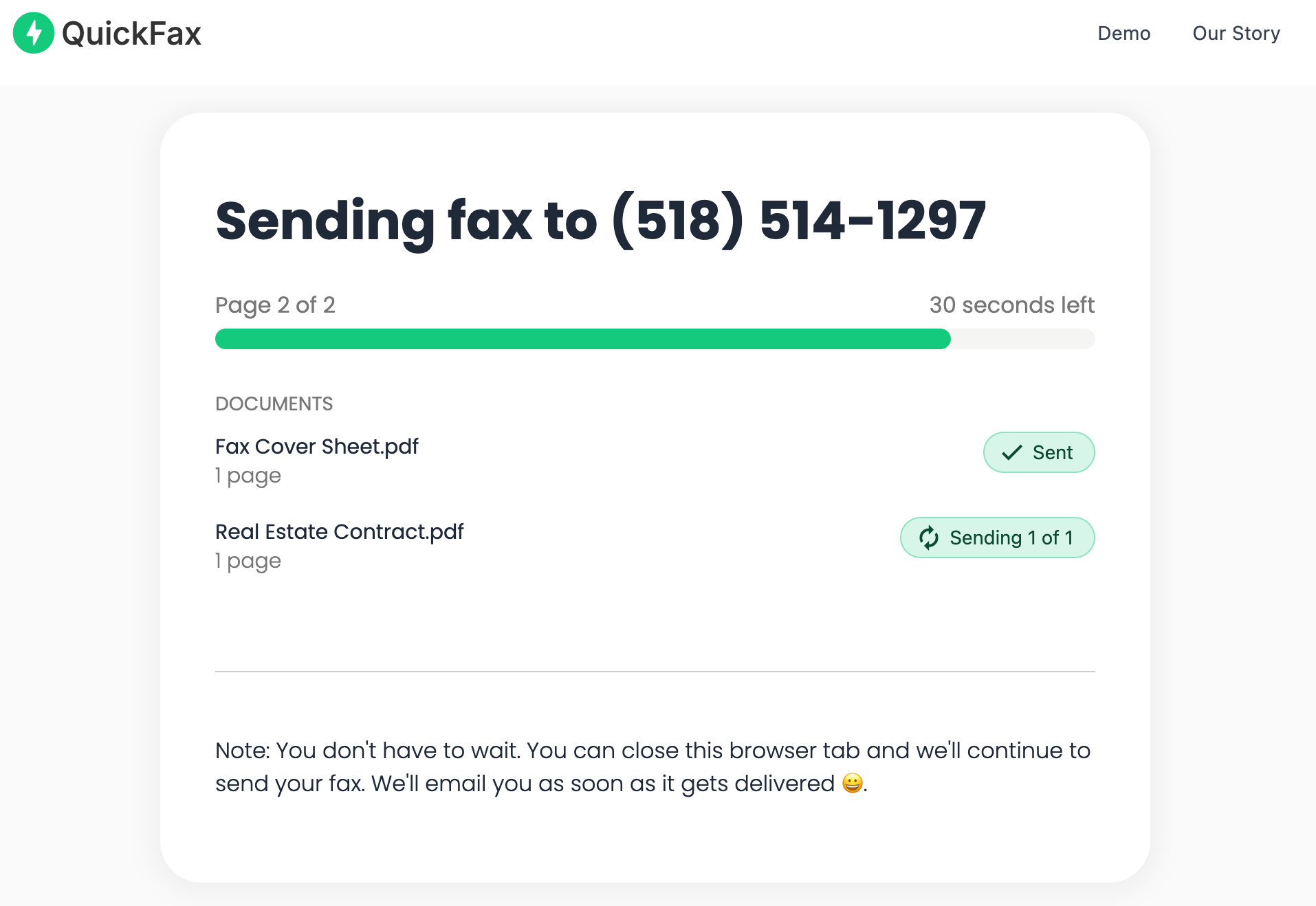
QuickFax shows a live status page tracking the fax through Sending → Delivered, plus sends an email confirmation with the date and time of delivery. This serves as proof of transmission for IRS filings, court deadlines, and medical records.
Just enter the fax number, upload your documents, and send.
Send a Fax Online →