No fax machine, no app download, no subscription. Send your fax from any iPhone in under 2 minutes — straight from your Safari browser.
No account to setup. No subscription to pay.
Yes — you can send a fax from your iPhone right now, no app download or account required. Go to QuickFax.com in Safari, upload your document (PDF, photo, or Word file), enter the recipient's fax number, and pay $1.50 per page. The whole thing takes under 2 minutes.
Yes, you can send a fax from your iPhone without a physical fax machine or a trip to an office supply store. The process is simple: upload your document, enter the recipient's fax number, and hit send. The service handles all the transmission details behind the scenes.
Your iPhone already has everything you need — a camera for scanning documents, storage for PDFs and images, and an internet connection to send the fax. No additional hardware or software required.
Most online fax services require you to create an account and subscribe to a monthly plan. But services like QuickFax let you send a one-time fax without an account or subscription — just pay per page and you're done.
Go to QuickFax.com in Safari on your iPhone. No app download required — the mobile-optimized site works perfectly from your browser.
Tap Upload a file and select from your Photos library, Files app, or iCloud Drive. QuickFax accepts PDFs, Word documents (.doc, .docx), images (.jpg, .png, .tiff), and iPhone photos (.heic) — up to 20MB. Then type in the complete fax number including area code.
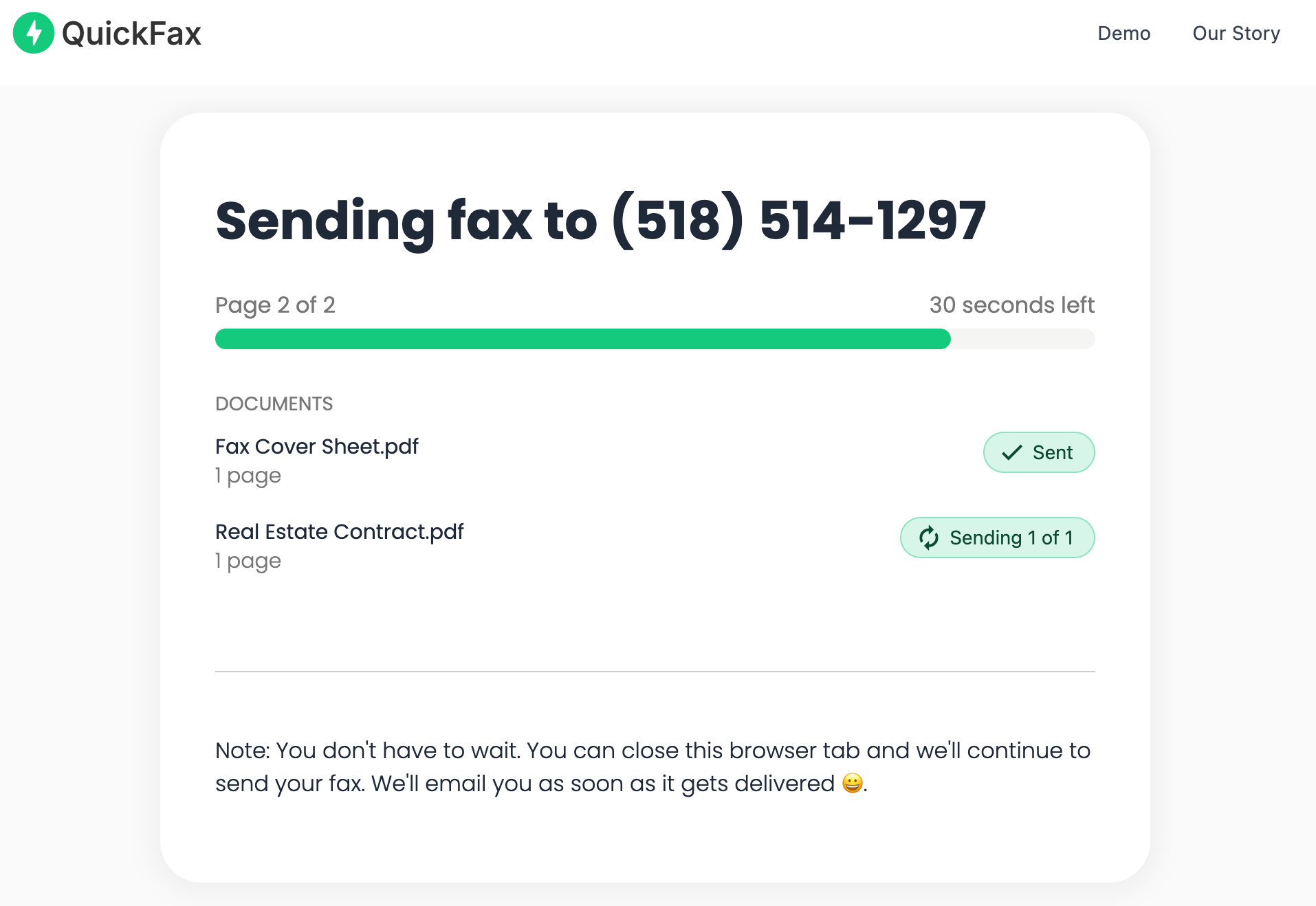
No account creation required — just complete the payment and your fax sends immediately. A live status page shows your fax progressing through Sending → Delivered, and QuickFax emails you a delivery confirmation as proof — critical when faxing to the IRS, a court, or a medical provider.
Ready to send? It takes under 2 minutes.
No account. No subscription. $1.50/page.If your document is already digital (a PDF, a saved photo, a Word file), you can skip this section and upload it directly to QuickFax. If it's on paper, here are your two options:
Fax transmission is lower resolution than modern digital standards. As long as the text is readable on your screen, it will fax clearly. For multiple pages, take separate photos and upload them all at once — QuickFax combines them into a single fax automatically.
Most online fax services make you create an account, set a password, enter your name and address, and subscribe to a monthly plan — all before you can send a single page. If you're rushing to meet a deadline, that 10–15 minutes of setup friction is the last thing you need.
QuickFax eliminates all of it. You can send a fax from your iPhone without signing up or downloading anything — just upload, enter the fax number, and pay once.
$1.50 per page, no hidden fees, no renewal traps. A 5-page fax costs $7.50 — full stop. No $20/month subscription whether you fax or not.
Built for iPhone — large touch targets, seamless file access from Photos, Files, and iCloud Drive, and full .heic support for iPhone photos.
Watch your fax transmit in real time and get an email confirmation with date and time as proof of delivery — required by many government and legal offices.
Files are encrypted with 256-bit AES on upload and automatically deleted once delivered. Your sensitive documents don't sit on a server indefinitely.
If you'd prefer a dedicated fax app instead of a mobile website, several options exist in the App Store. Here's how they compare for someone who needs to send a fax from their iPhone:
| Service | Pricing | Account? | App download? | Best for |
|---|---|---|---|---|
| QuickFax | $1.50/page, pay-per-fax | No | No | One-time or occasional faxing |
| eFax | From $16.99/month | Yes | Yes | High-volume business faxers |
| MyFax | From $10/month | Yes | Yes | Regular faxing + receiving |
| Fax.Plus | From $6.99/month | Yes | Yes | Light occasional use (with account) |
| FaxZero | “Free” (3 pages, ads on cover) | Yes | No | Not great for important docs |
Many apps advertise free faxing but impose severe limits — often just 3–5 pages, ads placed on your cover page, or video ads you must watch before sending. For anything important (IRS filings, court documents, medical records), use a legitimate service that gives you a real delivery confirmation.
Apps like eFax and MyFax make sense if you fax multiple times per week and need to receive faxes at a dedicated number. But for one-time or occasional faxing, paying $10–17/month for features you'll barely use is overkill — especially when you can fax without an account on QuickFax in under 2 minutes.
Skip the subscription. Send your fax now.
Pay $1.50/page. No signup. Works in Safari.After you tap send, QuickFax immediately begins transmitting your fax over the internet to the recipient's fax machine or digital fax inbox. Transmission typically takes 30 seconds to 2 minutes depending on the number of pages and the recipient's equipment.
You'll see a live status page showing two stages: Sending → Delivered. Once the recipient's machine successfully receives your fax, QuickFax marks it delivered and sends you an email confirmation with the date and time — important documentation for legal or medical deadlines.
If the recipient's fax line is busy, disconnected, or out of paper, your fax will fail and you'll be notified immediately with the specific reason. You can then retry sending, verify the number, or contact the recipient.
Yes. Faxes sent from online services like QuickFax are legally equivalent to faxes sent from a physical machine. Courts, government agencies, insurance companies, and medical providers all accept them. QuickFax's delivery confirmation provides the transmission documentation some organizations require as proof of timely filing.

Despite being decades-old technology, faxing is still required by many government agencies, healthcare providers, financial institutions, and legal offices in 2026. Here are the most common situations:
Being able to fax from your phone means you can handle these situations immediately without driving anywhere, waiting in line, or paying overhead fees. This is especially valuable for same-day deadlines — for example, a 5pm court filing or an IRS submission due today.
The traditional alternative is driving to an Office Depot, Staples, FedEx Office, or UPS Store. Here's how that stacks up:
| QuickFax (iPhone) | Office Supply Store | |
|---|---|---|
| Cost per page | $1.50 | $1.50–$2.29+ (plus gas) |
| Time to send | Under 2 minutes | 30–45 minutes round trip |
| Availability | 24/7, anywhere | Store hours only |
| Delivery confirmation | Yes — email proof | Varies, often a paper receipt |
| Privacy | Encrypted + auto-deleted | Shared public machine |
| For urgent deadlines | Perfect | Risk — stores close, lines happen |
The real cost of the office supply store is your time. By the time you drive there, find parking, wait in line, and drive back, you've spent 30–45 minutes on what should be a 2-minute task. With QuickFax, you can send a fax right now from your car, your couch, or a coffee shop.
There's also a privacy advantage: shared fax machines at public stores mean your sensitive documents (medical records, financial forms, legal contracts) pass through equipment used by strangers, with a risk of pages being left in the output tray.
“Fast, secure, the price is right! This site is a blessing for those who rarely have to send a fax.”
Stephen from California
“By far the easiest and most convenient internet fax service I have ever used. Highly recommend.”
John from New Mexico
“I loved that it doesn't require a subscription or a free trial. I just got in and faxed what I needed to.”
Tom from Mississippi
“This was my first time sending a fax this way, and it was very easy. I will definitely use this again. Was much easier then going to a store.”
Elizabeth from Arizona
Trusted by thousands to fax IRS, SSA, legal, medical, government documents, and more.
Send a Fax Online →No subscription. $1.50/page.
No. You only need the recipient'sfax number. With QuickFax, you don't need your own fax number — you're just sending outbound. If you also need to receive faxes, you'd need a subscription service like eFax or MyFax that assigns you a dedicated number.
Yes. QuickFax uses 256-bit AES encryption to protect your documents during upload and transmission — the same standard as online banking. Files are automatically deleted once your fax is delivered, so nothing sits on a server indefinitely. This is actually more secure than a shared public fax machine at an office supply store.
No. The fax arrives looking exactly like one sent from a traditional machine. There's no indication it came from an online service or a mobile device.
QuickFax accepts PDFs, Word documents (.doc, .docx), images (.jpg, .png, .tiff), and iPhone photos (.heic) up to 20MB — essentially any common document or image format on your iPhone.
Yes. Upload multiple files and QuickFax combines them into a single fax transmission. You can mix file types — a PDF plus a .jpg image, for example — and they'll arrive as one continuous fax.
QuickFax notifies you immediately with the specific reason — busy signal, disconnected number, out of paper, etc. You can retry sending or contact the recipient to let them know their fax machine isn't accepting calls.
With QuickFax it's $1.50 per page with no additional fees. A 3-page document costs $4.50 total. Subscription services like eFax charge $16.99/month — that's $203/year even if you only send 5 faxes.
Cover pages are optional for most situations. Many government agencies, courts, and medical providers work fine without them. If the recipient specifically requires one, you can create a simple cover page in your iPhone's Notes app or Pages, then upload it as the first file.
Just enter the fax number, upload your documents, and send.
Send a Fax Online →